Body
1. Download Mobility Print: https://drive.google.com/file/d/186ISNYLoap0zWey8wjPbth1kkG6Kt--x/view?usp=sharing
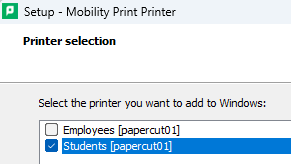
2. Run it and begin install process. When prompted select the appropriate printer depending on whether you are and employee or a student.
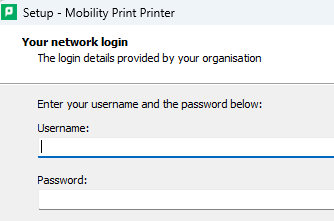
3. Enter your credentials (username without @oxy.edu):
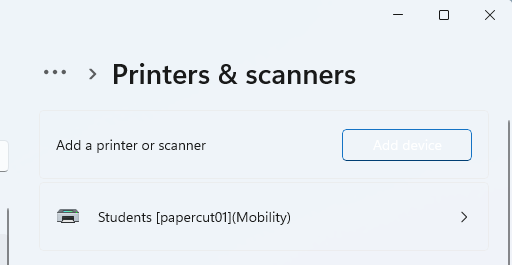
4. Finish the installation. Check Printers and Scanners:
5. Print from your application as usual.