Windows:
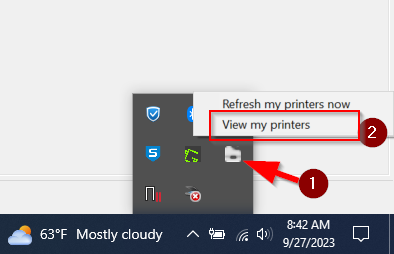
Navigate to your system tray (bottom right, near time/date) then click "view my printers".
Once open, please check to see if your office printer is installed.
MacOS:
Navigate to your Menu Bar (top right corner of the screen, by the clock) and click on the green printer icon. After that, click on "view my printers".
Once open, please check to see if your office printer is installed.
